A WordPress site your team can actually run — fast on mobile, straightforward to update, and built so you’re not dependent on whoever made it.
We reply on WhatsApp within 10 minutes.
 Saved just now
WordPress powers a large share of the web for practical reasons: you can update your own content, it handles most business requirements without custom development, and if you ever change agencies there’s a large pool of developers who can pick it up.
That last point matters more than it sounds. A proprietary platform or a heavily custom build ties you to one supplier. WordPress doesn’t.
A routine content change like this should take your team minutes, not an email to us.
The trade-off: WordPress is easy to build badly. A site assembled from a bloated theme and thirty plugins will be slow, fragile and awkward to maintain — and that’s the version most people have encountered.
We’ll recommend based on your situation, not on what we prefer to build.
A page builder like Elementor gives your team more visual control after launch, at the cost of extra page weight. A custom theme is leaner and faster but changes to layout need a developer. Neither is universally correct — it depends on who will maintain the site and how often the layout will change.
Every plugin is code running on your site, a potential security exposure, and often a recurring licence fee. We use as few as the requirement allows and choose actively maintained ones. Plugin count is one of the strongest predictors of whether a WordPress site will still be healthy in two years.
WordPress core, themes and plugins need regular updates. Unmaintained sites are how WordPress installations get compromised. Decide upfront who will handle this.
Service pages, company information, team profiles and enquiry paths, structured so new services can be added without a rebuild.
A separate, properly structured page per service, so each can rank and convert on its own.
Location or branch structures that don’t collapse into duplicate content.
WordPress extended into a full online store. See ecommerce website design in Dubai.
Built around forms, WhatsApp routing and conversion tracking.
Rebuilding an existing WordPress site that’s slow, broken, insecure or unmanageable.
Choosing between a content site and a store? WooCommerce is covered on ecommerce website design in Dubai, and the alternative is set out on Shopify website design in Dubai. The design thinking behind these builds is on website design in Dubai, and the full range of services for UAE businesses is on our UAE page.
A CMS is only useful if the people who need it aren’t afraid of it. The goal is that a routine content change takes your team five minutes, not an email to us.
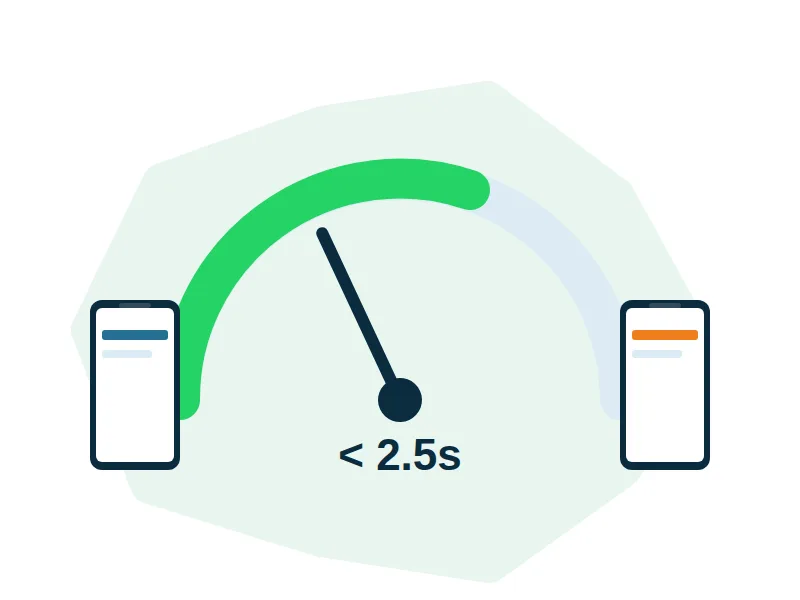
WordPress has a reputation for being slow. That’s usually the build, not the platform.
Target: LCP under 2.5s on a throttled 4G mobile connection. That’s the condition your Dubai visitors are actually browsing in.
WordPress sites get attacked because WordPress is common, not because it’s insecure. Most compromises trace to outdated plugins, weak admin passwords, or nobody paying attention.
Enquiry and quote forms with validation and verified delivery
WhatsApp click-to-chat with correct country code and pre-filled messages
CTA placement designed around where visitors actually decide to act
Conversion tracking so you can see which pages produce enquiries
Landing pages for campaigns — though for high-volume ad traffic, a standalone landing page usually outperforms a WordPress page
For the code-level side of a build, see website development in Dubai; for campaign pages, see landing page design in Dubai.
WordPress supports multilingual sites through established plugins, with the site available in more than one language and the correct version served to each visitor.
Arabic adds a genuine layer of work beyond translation: the entire layout mirrors to right-to-left, which affects navigation, alignment, icon direction, form fields and typography. Arabic type also needs different line-height treatment to read comfortably.
An Arabic version of a WordPress site can be scoped alongside the main build.
hreflang markup so search engines serve the right versionAn auto-translate plugin. Machine translation inside an English layout reads wrong immediately to an Arabic visitor. You supply the Arabic copy — we don’t currently have Arabic copywriting in-house — and we build the bilingual structure around it: separate indexable URLs, mirrored layout, and typography configured for Arabic. Because this isn’t something we’ve delivered before, we’d scope the first Arabic project with a realistic timeline and a clear testing phase, rather than treating it as routine.
Recent TechnoIconic projects, shown for the structure and design thinking behind them. The platform for any project is chosen to fit the business, and we’re glad to talk through which suits yours.
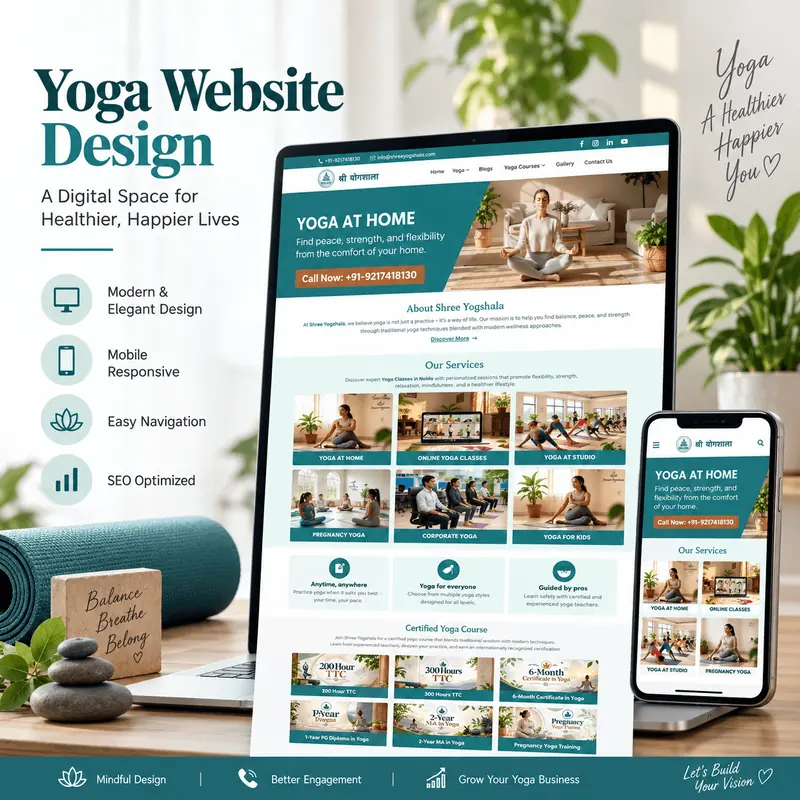
A large offer — six class formats and a certification ladder from a 200-hour course to a 2-year MA — organised so it never becomes a wall of links. Each format and certification level has its own clearly labelled place.
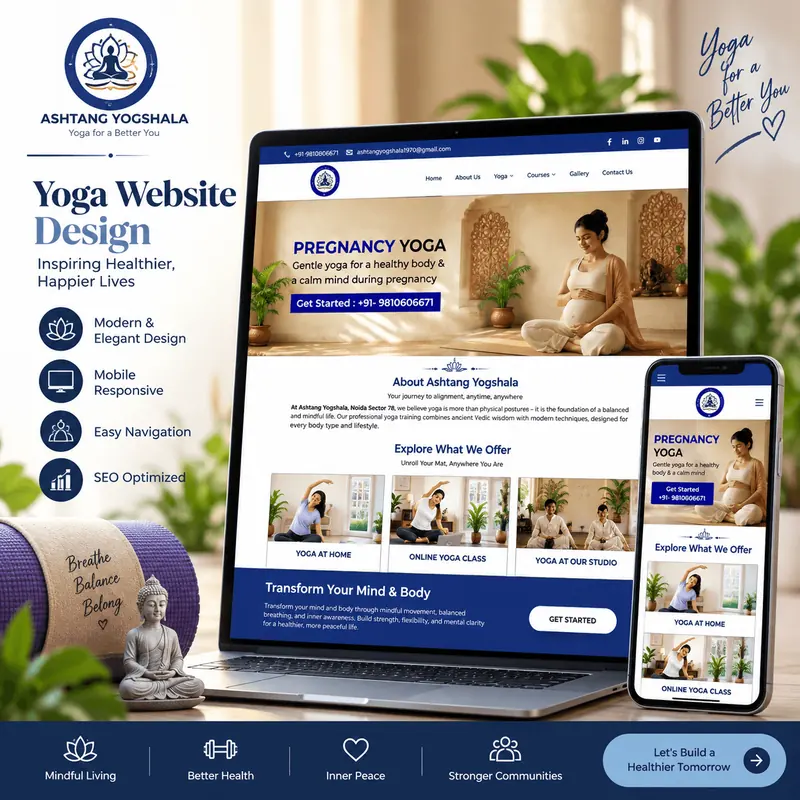
A studio site that leads with a single offer, pregnancy yoga, then opens out to home sessions, online classes and in-studio training, with a phone call-to-action within reach on every screen size.
Confirming WordPress is right for you, and deciding the theme approach.
Staging, WordPress installation, base configuration.
Templates constructed from the approved design.
Editing areas, custom fields and page templates set up for how you’ll actually manage content.
Forms, SEO tooling, caching, security, and anything specific to your requirement.
Pages built out with real content.
Devices, browsers, forms tested end to end, speed measured.
Go live, SSL, redirects, analytics verified.
Walkthrough and documentation.
Yes. We start by reviewing what’s there — theme, plugins, speed, security status and what content is earning traffic. Sometimes a redesign is right. Often, replacing the theme and cutting the plugin list delivers the improvement you were expecting from a rebuild, at a fraction of the cost. We’ll tell you which applies.
Where it fits. Elementor gives your team visual control after launch, which is valuable if layouts change often. It also adds page weight. If your team mainly updates text and images rather than rearranging layouts, a lean custom theme is usually faster. The right answer depends on who maintains the site.
Yes, through WooCommerce, which suits stores that need flexible customisation or sit alongside substantial content. For a store-only business with simpler needs, Shopify may be a better fit. We’ll compare both against your catalogue and operations.
Not if it’s built for speed from the start. Slowness comes from bloated themes, excessive plugins and unoptimised images — all decisions made during the build. We set a performance target upfront and test on mobile data.
Yes. That’s a large part of why WordPress makes sense. You get structured editing areas, appropriate user permissions, a walkthrough at handover and documentation for the tasks you’ll actually do.
Prevention is updates, strong credentials and a minimal plugin footprint. Recovery depends on having a recent, tested backup — which is why backups are configured and verified rather than assumed.
Yes, it can be scoped as part of the build. Each language gets its own indexable URL, the layout mirrors to right-to-left, and typography is configured for Arabic rather than inherited from the English design. You supply the Arabic copy, since we don’t currently have Arabic copywriting in-house — we handle the structure, layout and technical build around it.
Yes. Migrations are planned with URL mapping and redirects so existing search rankings are preserved through the move.
Tell us whether this is a new WordPress site or an existing one that’s become a problem. We’ll tell you which approach makes more sense.